SQLite REPLACE Can Delete Child Rows Even When the ID Stays
SQLite INSERT OR REPLACE can delete a conflicting parent and cascade to its children. Trace row lifetime, inspect the actual schema and choose a targeted UPSERT.

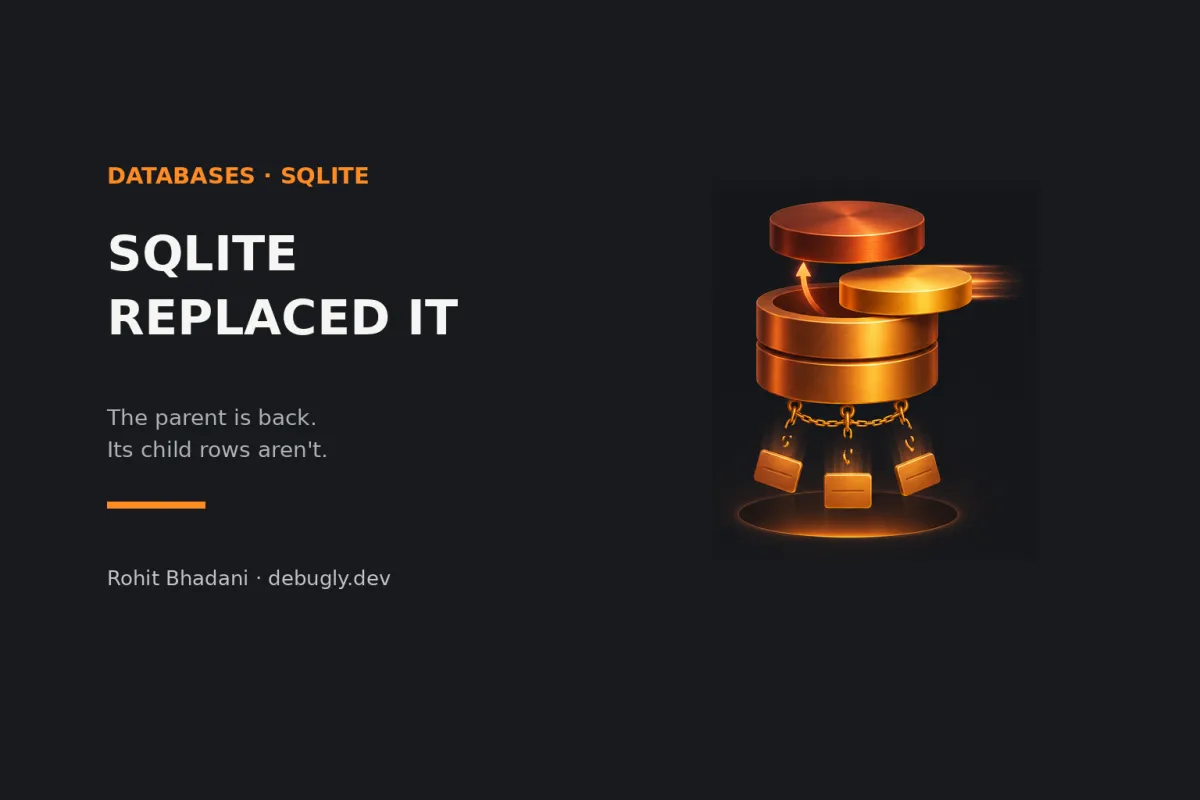
The account is still there. Its ID hasn't changed. The notes attached to it are gone.
That combination is possible with SQLite's INSERT OR REPLACE. On a uniqueness conflict, replacement removes the conflicting old row before inserting the new one. If an enforced foreign key has ON DELETE CASCADE, deleting that parent can delete its children. Inserting the same parent ID afterward doesn't bring them back. When your intent is to update an existing row, use an appropriate UPDATE or targeted ON CONFLICT ... DO UPDATE instead, and test the child rows as well as the parent.
This is an AI-prepared, documentation-based explainer, not a personally reproduced incident. The schema, statements and diagnostic walkthrough below are illustrative and have not been executed for this article. See the editorial policy.
The final ID hides the important part
Imagine a small local database with accounts and notes. In a disposable database, this illustrative setup establishes one parent and one child:
PRAGMA foreign_keys = ON;

CREATE TABLE account (
  id INTEGER PRIMARY KEY,
  email TEXT NOT NULL UNIQUE,
  nickname TEXT
);

CREATE TABLE note (
  id INTEGER PRIMARY KEY,
  account_id INTEGER NOT NULL
    REFERENCES account(id) ON DELETE CASCADE,
  body TEXT NOT NULL
);

INSERT INTO account VALUES (7, 'dev@example.test', 'before');
INSERT INTO note VALUES (1, 7, 'keep this note');
Now consider the write that a sync helper might call “save”:
INSERT OR REPLACE INTO account (id, email, nickname)
VALUES (7, 'dev@example.test', 'after');
The existing row conflicts with the incoming primary key and email. Under the documented REPLACE conflict algorithm, the old parent is removed. Its delete action applies to the note. A new account row then supplies ID 7 again.
For this schema, the documented behavior predicts an account with the updated nickname and no original note. That's an expected consequence of the example, not captured test output. Looking up account 7 at the end tells you its current value; it doesn't tell you whether that value survived continuously through the write.
The row has effectively returned wearing the same badge. The children weren't waiting at reception.
Integrity can be intact while useful data is missing
SQLite's foreign-key actions define what happens to dependent rows when a parent is removed. Cascading deletion leaves no dangling note pointing at a missing account. It can satisfy referential integrity while violating your application's expectation that a profile refresh preserves notes.
That's the revealing distinction. “Every remaining child has a valid parent” and “every expected child still exists” are different assertions.
A successful PRAGMA foreign_key_check tests for existing foreign-key violations. It doesn't inventory records that were legally deleted. An empty result therefore isn't proof that this write preserved your data.
Trace the statement, the relationship and the connection
Before changing constraints, inspect the SQL that actually reaches SQLite. An ORM method named save, replace or upsert is a clue, not evidence of the generated statement. Then inspect the deployed schema rather than a migration file you hope matches it.
These illustrative read-only diagnostics make the relevant boundaries visible:
SELECT sqlite_version();
PRAGMA foreign_keys;
PRAGMA foreign_key_list('note');

SELECT type, name, sql
FROM sqlite_schema
WHERE tbl_name IN ('account', 'note')
ORDER BY type, name;
The schema table exposes table, index and trigger definitions. Check all relevant uniqueness constraints: the conflict needn't be on the primary key you were watching. A different unique value can identify a row for replacement.
Check foreign-key enforcement on the connection performing the write. Don't infer it from a separate admin console. If you enable enforcement for a test, do it before starting its transaction; changing foreign_keys inside an active transaction has no effect.
| Clue | What it means for the investigation |
|---|---|
| The parent ID is present after the write | Compatible with both an update and a replacement; inspect the statement. |
| The child relationship has ON DELETE CASCADE | A parent deletion can explain missing children. |
| Foreign-key enforcement differs between connections | A console experiment may not represent the application's behavior. |
| foreign_key_check reports no violation | Remaining relationships are valid; expected-row preservation is still untested. |
Wrapping replacement in a transaction doesn't change its requested operation. Nor does deferring constraint checks turn a cascading delete into a pending decision about whether the same ID returns. ON UPDATE CASCADE addresses a different event: changing a parent key through an update.
Delete audit evidence needs care too. REPLACE has a documented delete-trigger caveat tied to recursive_triggers. That setting doesn't switch off foreign-key actions. A missing trigger log alone isn't enough to rule out the replacement path.
Make the conflict update the row you mean
If account ID is your stable identity, a targeted SQLite UPSERT can express the intended operation:
INSERT INTO account (id, email, nickname)
VALUES (7, 'dev@example.test', 'after')
ON CONFLICT(id) DO UPDATE SET
  email = excluded.email,
  nickname = excluded.nickname;
On an ID conflict, this updates the existing account's listed fields. It doesn't take REPLACE's parent-deletion path, so that particular cascade cause is removed. Custom triggers or other application writes still deserve inspection.
Choose the conflict target from the identity model. If email is the business key, that calls for a different design decision, not mechanically changing (id) to (email). Decide what should happen when incoming ID and email refer to different existing accounts.
UPSERT doesn't mean “ignore every error.” Its conflict handling concerns uniqueness, and a constraint failure during DO UPDATE aborts that INSERT statement. This syntax is available from SQLite 3.24.0; check the engine bundled with the application, not only the command-line tool on your laptop.
If the row must already exist, a plain UPDATE ... WHERE id = ? may express the requirement more clearly. Define what the application should do when no row matches. Disabling foreign keys to make replacement appear harmless would leave the ownership mistake in place.
Assert that the children survived
Build a small fixture around the real relationship and write path. On a fresh fixture for each case, try an existing ID, a genuinely new account, and a conflicting email belonging to another account. For the existing-ID case, assert the original note's ID, owner and body afterward, not merely the updated nickname or an absence of exceptions.
Also assert the connection's foreign-key setting before the write. Otherwise the test can accidentally remove the condition that makes the failure visible. These are suggested tests; none were run for this article.
For a different SQLite failure boundary, see why a WAL read snapshot can't always become a writer, or browse Debugly's database articles. Prepared for Rohit Bhadani's Debugly publication; about Debugly.
In the next persistence review, ask what must remain true about related rows after a “save.” Put that invariant beside the generated SQL. A parent with the right ID is only half the result.