React Sorted the Rows. Why Did the Draft Change Owners?
A sorted React list can show fresh labels with another record’s draft. Trace index keys, local state and draft lifetime before adding a reset.

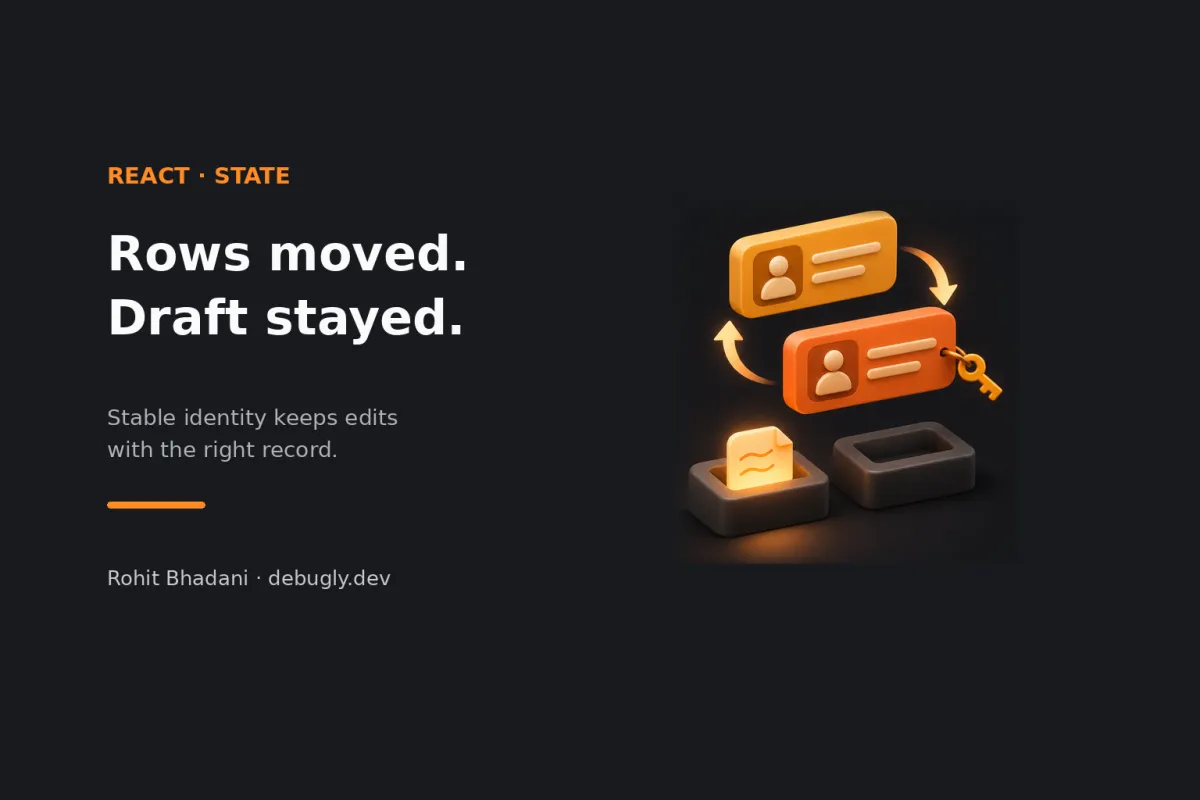
You edit a draft in the first row, click Sort, and find your words beside a different record. The labels moved correctly. The draft apparently changed owners. Before chasing the sort comparator or adding another fetch, check what React thinks identifies each row.
If the list uses key={index}, the key describes the position, not the record. After reordering, React can keep the row component's state at that position while passing it a different record. Use a stable record ID as the key on the element returned by map(). That lets a mounted row's local state follow the record within the same parent. React's list guide documents why index keys cause trouble when items move.
This is an AI-prepared, documentation-based explainer, not a personally reproduced incident. The code, trace and expected behavior below are illustrative and unexecuted. See the editorial policy.
The labels are fresh. The draft belongs to an older identity.
Here's a deliberately small sortable editor. It reverses a copied array, so the example doesn't depend on a comparator or an in-place mutation:
import { useState } from 'react';

const records = [
  { id: 'r-17', label: 'Amber', text: 'First note' },
  { id: 'r-42', label: 'Azure', text: 'Second note' },
];

export default function Editor() {
  const [reversed, setReversed] = useState(false);
  const rows = reversed ? [...records].reverse() : records;

  return (
    <>
      <button onClick={() => setReversed(v => !v)}>
        Reverse order
      </button>
      <ul>
        {rows.map((record, index) => (
          <Row key={index} record={record} />
        ))}
      </ul>
    </>
  );
}

function Row({ record }) {
  const [draft, setDraft] = useState(record.text);

  return (
    <li>
      <label>
        {record.label}
        <textarea
          value={draft}
          onChange={e => setDraft(e.target.value)}
        />
      </label>
    </li>
  );
}
Suppose you replace Amber's text with “Call the customer,” then reverse the order. The predicted symptom is Azure's label beside that edited draft. The label reads the current record prop. The textarea reads draft, which belongs to the retained Row instance. Two sources of truth can agree about their own values while disagreeing about who owns them.
The array reversal did its job. The useful clue is the disagreement between fresh props and preserved local state. A sort bug would be a reasonable first suspect, but this example's identity mapping explains the mismatch without a broken sort.
Write down record ID, key and state separately
For this illustration, keep a small identity ledger. The parent and component type stay the same throughout:
| Moment | First row's record | First row's key | Local draft |
|---|---|---|---|
| Initial render | r-17 / Amber | 0 | First note |
| After editing | r-17 / Amber | 0 | Call the customer |
| After reversal | r-42 / Azure | 0 | Call the customer |
The record changed; the key did not. React's state preservation guide explains that state is associated with a position in the render tree, with keys helping define identity within a parent. An array index keeps naming the first slot even after a different record occupies it. The slot has excellent job security. Your draft has less reassuring working conditions.
There's another clue in useState(record.text). React's useState reference says the initial-state argument is ignored after the initial render. A new prop value doesn't automatically initialize the existing state again. That's useful for preserving unsaved typing during ordinary rerenders, but it makes a mistaken identity especially visible.
Put the key at the boundary that moves
For these records, replace the map expression with:
{rows.map(record => (
  <Row key={record.id} record={record} />
))}
Now r-17's mounted Row can move with Amber, including its draft. The ID must remain stable for that record and be unique among its siblings. It doesn't need to be globally unique across the entire application.
The key belongs on Row here because that's the list element being matched. Putting a key on the textarea inside Row won't repair the identity of the outer Row. If a record renders several sibling nodes, use an explicitly keyed Fragment at that mapped boundary. The list guide covers that pattern too.
React also doesn't pass key through as a normal prop. Keep passing the record or its ID separately when the component needs it. A database ID is useful when it actually identifies the record; a freshly generated value on every render cannot do that job.
A reset can hide the mix-up by deleting the evidence
Replacing index keys with Math.random() changes the failure. The keys won't match between renders, so React recreates the list items and loses their input state. The wrong draft may disappear because every draft disappears. That's a fairly expensive way to win an argument with a textarea.
Generate an ID when creating a local record and keep it with that record. Don't generate a new identity while rendering it. Changing a key is appropriate when you deliberately want a fresh instance, such as resetting a form when its subject changes. That is a product decision about what should survive, not a general refresh button.
An effect that copies record.text into draft state on prop changes also needs a clear edit policy. It can replace unsaved typing when new server data arrives, and it doesn't fix an incorrectly identified row. React's guidance on resetting state helps separate deliberate resets from state synchronization added to patch a symptom.
Stable keys don't make an unmounted row a draft store
The repair above assumes the row remains rendered under the same parent with the same component type. If filtering removes it from the tree, its local state is destroyed. Showing a record with the same key later creates state again; the key isn't a persistent draft cache.
If edits must survive filtering, pagination or navigation, give the drafts an owner with the required lifetime. For example, keep a draft map keyed by record ID in a parent that stays mounted, or persist drafts in an appropriate store. Define what happens when the record is deleted, saved or refreshed. Stable render identity and durable application storage solve different lifetime problems.
This also limits the diagnosis: wrong text can come from a draft map indexed by position, a stale response or an application write to the wrong ID. A stable JSX key can't correct those data-layer mistakes. Check the record ID in the save handler as well as the key in the render.
Make the regression check move the data
A useful proposed check edits a known record, reverses the rows, and asserts that both its label and draft remain paired by record ID. Repeat with insertion ahead of the edited row and deletion of an earlier sibling. A test that only checks the final array order can miss the state ownership bug completely.
Test filtering separately according to the draft-survival policy you chose. Don't require local state to survive an unmount if the design stores it only in Row. These are suggested regression checks, not executed browser tests.
If your issue is a subscription reading old settings, the related useEffectEvent investigation follows a different boundary. More related posts live in the React archive.
In the next sortable editor review, trace three things independently: the record's ID, the rendered key, and the owner of the unsaved draft. Then move a record. Those three should still tell the same story afterward.